
Mango Fax
With Mango Fax, you can use any internet connected device as a fax device. It's as simple as sending an email.
With Mango Fax, you can use any internet connected device as a fax device. It's as simple as sending an email.
How it works
Sending a fax
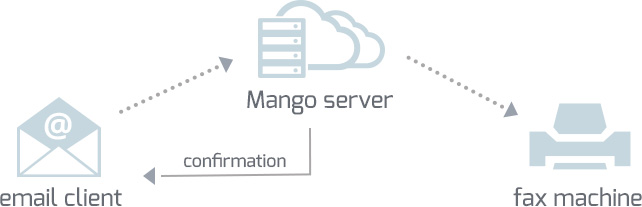
Sending a fax is as simple as sending an email!
1.) Use any email client to start a new email.
2.) Type in the fax number followed by @faxmango.com (i.e. 18887776666@faxmango.com)
3.) Attach the document you want fax.
(Supported attachment types: pdf, doc, docx, txt, rtf, jpeg, gif, tif, png, bmp)
4.) Click Send.
*A confirmation email will be sent to your inbox letting you know the fax was sent
Receiving a fax
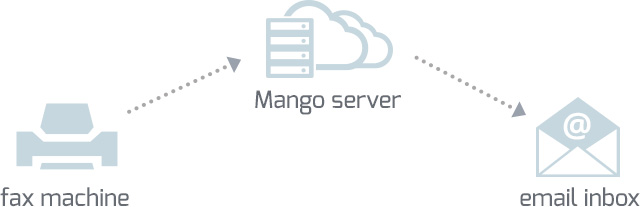
Receiving a fax is simple. Mango Voice will provide you with a virtual fax number. When someone sends a fax to your virtual fax number, the fax will appear as a new incoming email in your email inbox.